Main display
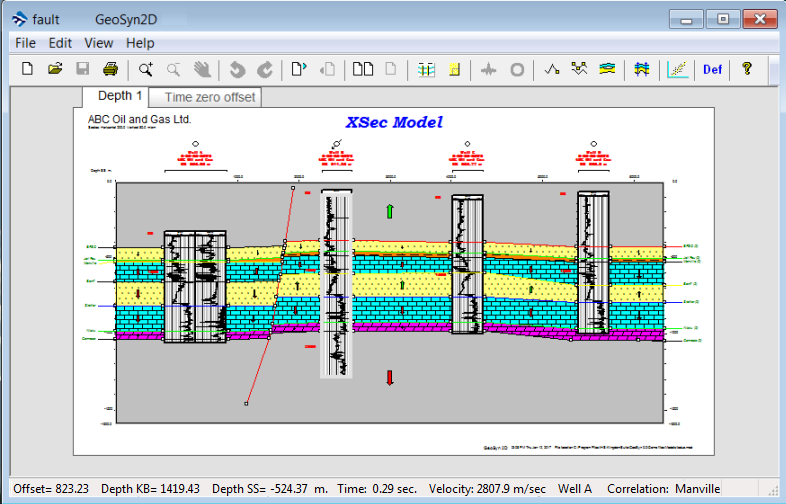
The default view displays a single model with tabs that allow you to switch between depth and time. In version 2017 and later, both time and depth models can be displayed simultaneously in separate windows.
To view time and depth models in separate windows:
- From the tool bar, Click the dual windows button

- From the menu, View > Two pages
.
|
Note: |
Depending on the complexity of your model, viewing both time and depth models simultaneously in AVO mode can impact performance. If you notice that your systems performance is reduced, switch back to the default single model view. |
|
|
Display time model. |
|
|
Display depth model. |
|
|
Display time and depth models in separate windows. |
|
|
Display single chart in primary window. |
|
|
Display parameters dialog, used to set display parameters for depth, time, wells, global parameters and map. |
|
|
Edit labels |
|
|
Edit Wavelet, allows user to edit wavelet properties and spectrum’s. |
|
|
Port hole, captures the portion of the time model currently displayed in the resulting Port Hole window. |
|
|
Create a new correlation |
|
|
Edit correlations / nodes |
|
|
Edit zone parameters |
|
|
Create well correlations automatically. |
|
|
Crossplot wizard |
|
|
Set default configurations |
|
The status bar provides model information relative to cursors X and Y position. Displayed parameters include: Offset, Depth, Time, Velocity and Correlation when applicable. |
|


