|
Petra can automatically draw Production Patterns around groups of wells defining injector-producer patterns. Each pattern consists of a central "node" well and one of more surrounding wells. Each well in a pattern contains the percentage of production allocated to the pattern. Wells that belong to more than one pattern will have less than 100 percent allocated to each pattern. An "auto allocation" function can be used to compute the allocations based on sharing between patterns or angles around wells.
Probably the easiest way to use production patterns is to use the toolbar. To open the toolbar, select Tools>Production Patterns>Pattern Tool Bar on the top of the Map Module. Alternatively, select Tools>Production Patterns> to select individual tools.

 or Add Pattern - This option starts the process of defining a new pattern of wells to the production pattern list. After choosing "add pattern", first click the left mouse button on the central NODE well. Then, left-click each well that is part of the pattern. Finally, click the right mouse button to end. A pattern definition screen will be displayed so you may set the percent allocations (100% by default). or Add Pattern - This option starts the process of defining a new pattern of wells to the production pattern list. After choosing "add pattern", first click the left mouse button on the central NODE well. Then, left-click each well that is part of the pattern. Finally, click the right mouse button to end. A pattern definition screen will be displayed so you may set the percent allocations (100% by default).
 or Select Pattern - Use this option to select a pattern by clicking the left mouse button on the NODE well. After selection, the pattern will be highlighted in green. Once highlighted, the pattern can be modified (with the pattern properties option) or deleted (with the trash can button). or Select Pattern - Use this option to select a pattern by clicking the left mouse button on the NODE well. After selection, the pattern will be highlighted in green. Once highlighted, the pattern can be modified (with the pattern properties option) or deleted (with the trash can button).
 or Deselect Pattern - This option deselects a highlighted pattern. or Deselect Pattern - This option deselects a highlighted pattern.
 or Pattern Properties - This option opens the Prod Pattern Definition tool (see below), which can view or modify the pattern's well list and production allocation. or Pattern Properties - This option opens the Prod Pattern Definition tool (see below), which can view or modify the pattern's well list and production allocation.
 or Delete Pattern - This option removes the selected pattern. Note that Petra will ask for a verification will be prompted to verify that you want to delete the selected pattern. or Delete Pattern - This option removes the selected pattern. Note that Petra will ask for a verification will be prompted to verify that you want to delete the selected pattern.
 or Clear All Patterns - All patterns will be removed from memory. Be sure to save a pattern file if you wish to retain the patterns. or Clear All Patterns - All patterns will be removed from memory. Be sure to save a pattern file if you wish to retain the patterns.
 or Load Pattern File - Use this option to reload a saves production pattern file (*.PAT). or Load Pattern File - Use this option to reload a saves production pattern file (*.PAT).
 or Save Pattern File - This option will save the production patterns to a file for later retrieval (*.PAT). or Save Pattern File - This option will save the production patterns to a file for later retrieval (*.PAT).
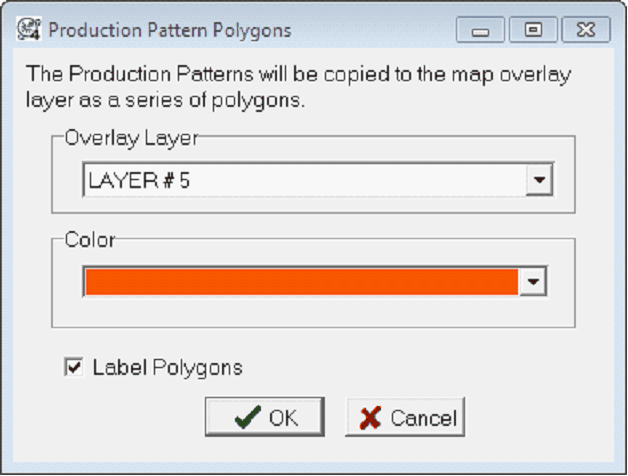
 or Create Pattern Polygons - This function uses the wells in the patterns to construct and store closed polygons in the map overlay facility. These polygons can then be used for volumetrics. or Create Pattern Polygons - This function uses the wells in the patterns to construct and store closed polygons in the map overlay facility. These polygons can then be used for volumetrics.
Prod Pattern Definition Tool
The Prod Pattern Definition tool sets the well's pattern name, wells, and allocations.

Pattern Name - Each pattern has its own name. By default, Petra sequentially names patterns as P1, P2, P3, and on.
Pattern Wells - This list displays the wells in the pattern. Note that the pattern's node well has a "<<<NODE" annotation.
This Is the Node Well - This entry sets the node well in the pattern.
Allocation - This entry changes the allocation for the well selected on the Pattern Wells List. Select the well, set the allocation percentage, and select the "Apply" button.
Drop Well - This button removes the well selected on the Pattern Wells List
Add Well - This option adds a well by the well's UWI/API number.
Allocating Production
Auto Allocate Production - This tool computes the allocation percentage for wells in multiple patterns. This tool will compute the percentages between all patterns in the project.
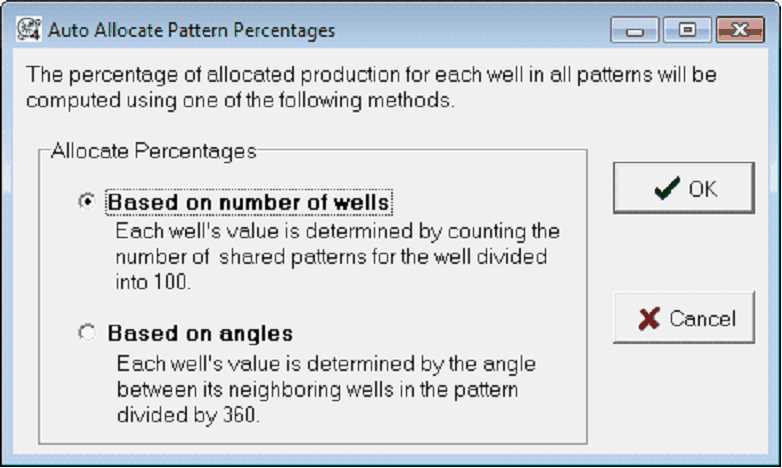
Method 1
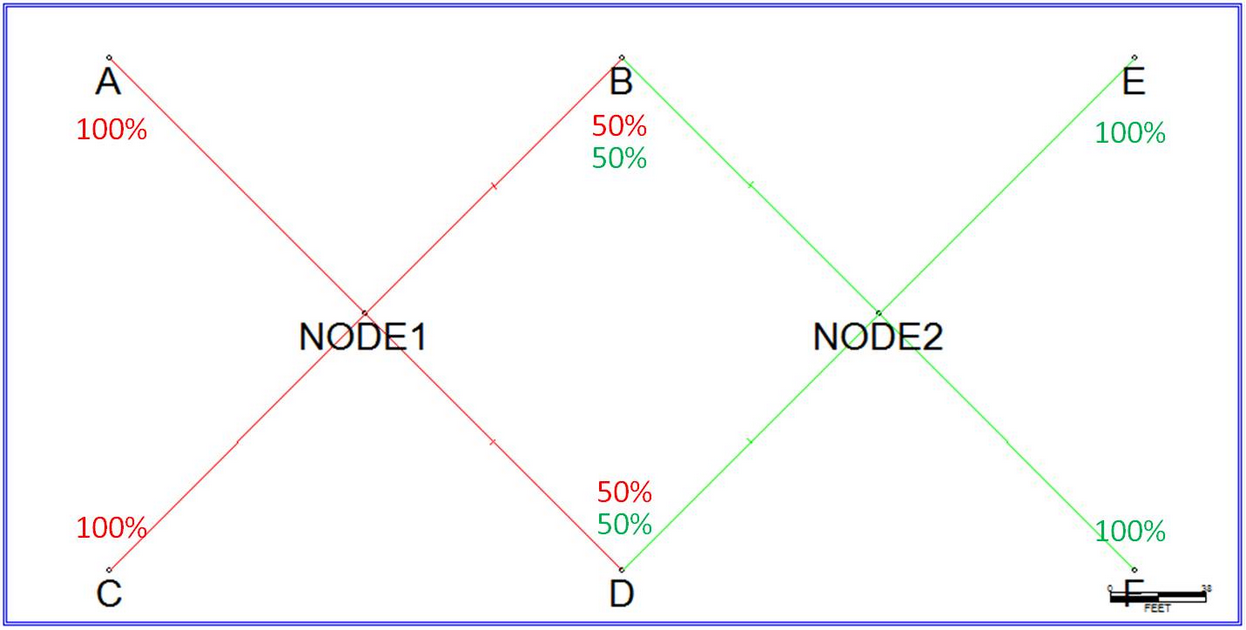
Petra sets the percentages for each well by the number of shared patterns. If a well is common to two patterns, the well's allocation percentage is 50% for each of the two patterns.
Method 2
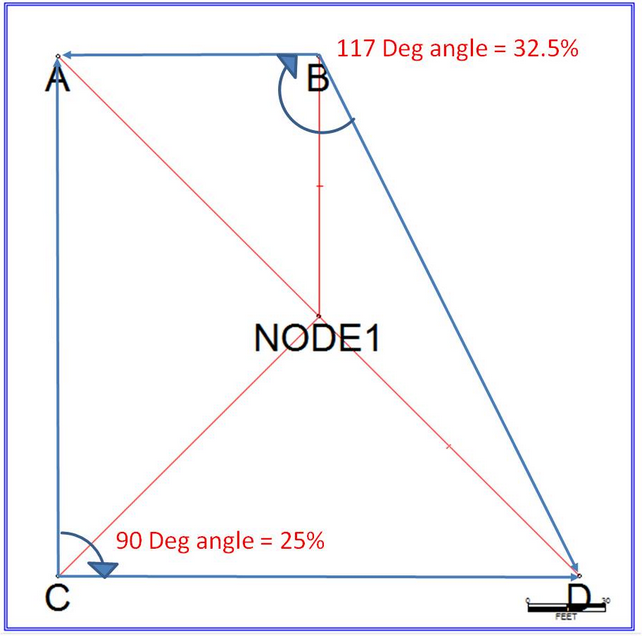
This tool computes the angles formed by a well and its nearest neighbors in the pattern. The allocation percentage is the angle divided by 360.
|