Deviation Hole Angle... |
|
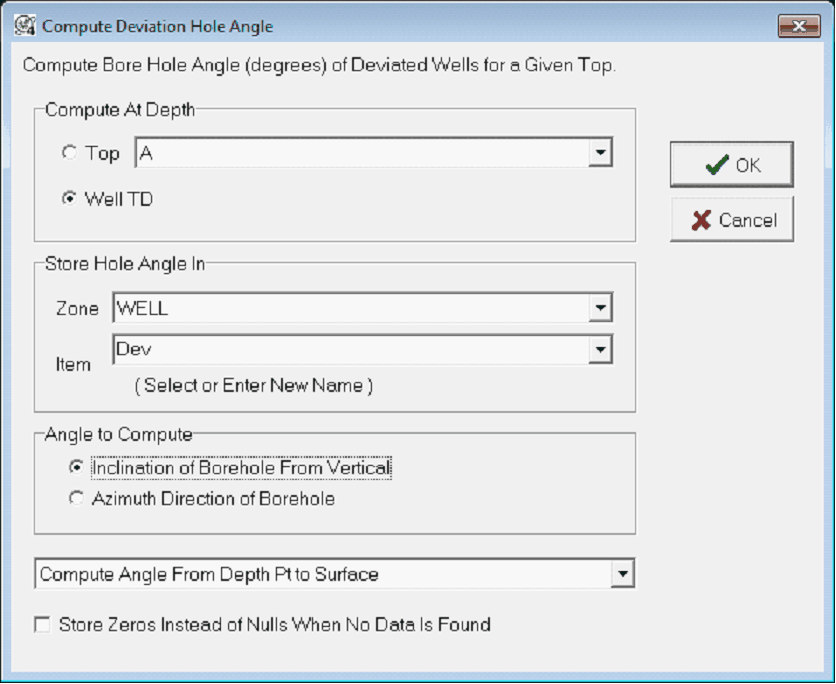
The Deviation Hole Angle tool samples the hole angle at a specific point in a deviated well (usually a picked formation top) to a zone data item. This tool requires directional survey data to work. To open the Deviation Hole Angle tool, select Compute>From FmTops>Deviation Hole Angle... from the menu bar at the top of the Main Module.
Compute at DepthThis section sets the location of the deviation angle calculation. Top - This entry sets a specific depth at a formation top. Well TD - This entry selects the well's TD Show Hole Angle InThis section sets the zone and data item that will contain the calculated deviation angle. Angle to ComputeThis section sets the specific type of calculation. Petra can calculate the inclination or the azimuth. Inclination of Borehole From Vertical - This option calculates the borehole's inclination. Azimuth Direction of Borehole - This option calculates the compass azimuth of the borehole.
Compute Angle From Depth Point to Surface - This option calculates the overall angle from the depth point set on the "Compute at Depth" option to the surface point. Compute Local Angle at Depth Pt - This option only calculates the angle at the desired depth point set on the "Compute at Depth" option. |