Display Grids

Petra displays grids as a surface in the 3DViz Module.  

To open the display grids dialog:
  • 3D Visualizer: Surfaces > Grids...
  • 3D Visualizer: Layer Toolbar

Grid tab

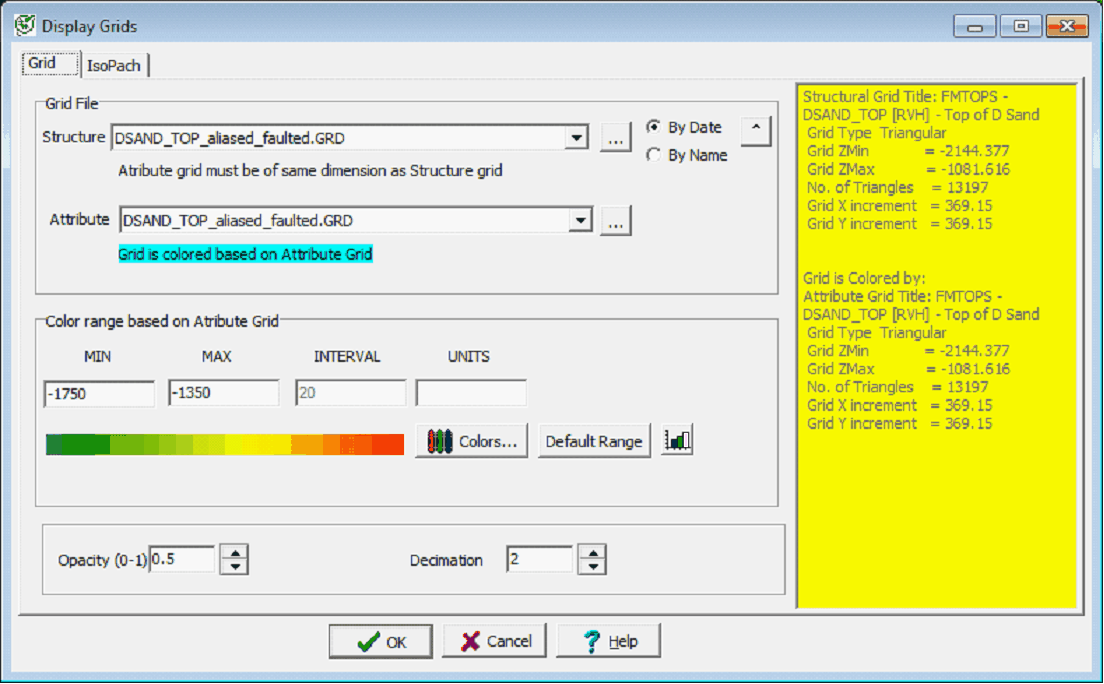
The Grids dialog allows the selection of a Petra structure grid (depth) and an attribute grid (color).  The attribute grid defaults to the structure grid, although a different attribute grid may be selected.  The attribute grid must have identical grid characteristics as the structure (same size and bins).  

The colors for the attribute grid may be changed and the opacity may be adjusted.

Grid File

The 3DViz module can display grids both as a surface and as a color.  The "Structure" grid sets the grid, while the "Attribute" grid sets the coloring used.  This can be useful for displaying both structural and reservoir information, such as a structure and isopach map together on the same.

  • Structure - This entry sets the structural grid.  The 3DViz Module will display the values in the grid relative to the zmin and zmax set on the frame.
  • Attribute - This entry sets the attribute grid that colors the structure grid using the Color bar set in the Color Range Section below.

Color Range based on Attribute Grid

  • Min - This sets the lower range for the Color bar.
  • Max - This sets the upper range for the Color bar
  • Interval - This sets the color interval for the Color bar
  • Units - This sets the units for the grid file.
  • Opacity - This option sets the opacity for the grid file plotted on the 3DViz Module, ranging from 0 (transparent) to 1 (opaque).  
  • Decimation - This option decimates out the number of grid points plotted on the 3DViz Module.  This reduces the amount of memory and increases drawing speed for large grids.

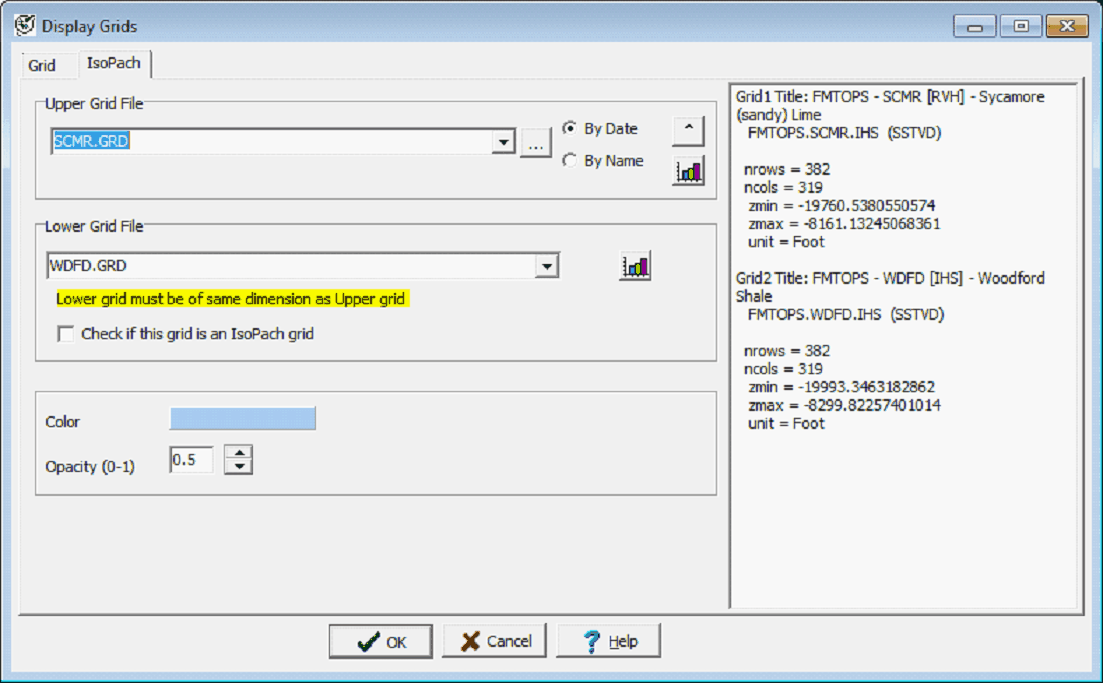
IsoPach tab

Upper Grid File

Sets the upper boundary for the isopach.  In general, this will be an upper boundary of a grid file.

Lower Grid File

Selects the lower boundary for the isopach.  This can either be a structure grid on the base of the isopach or a grid representing isopach thickness.

Color

Sets the color of the isopach mass.

Opacity

Sets the transparency or opacity of the isopach.