|
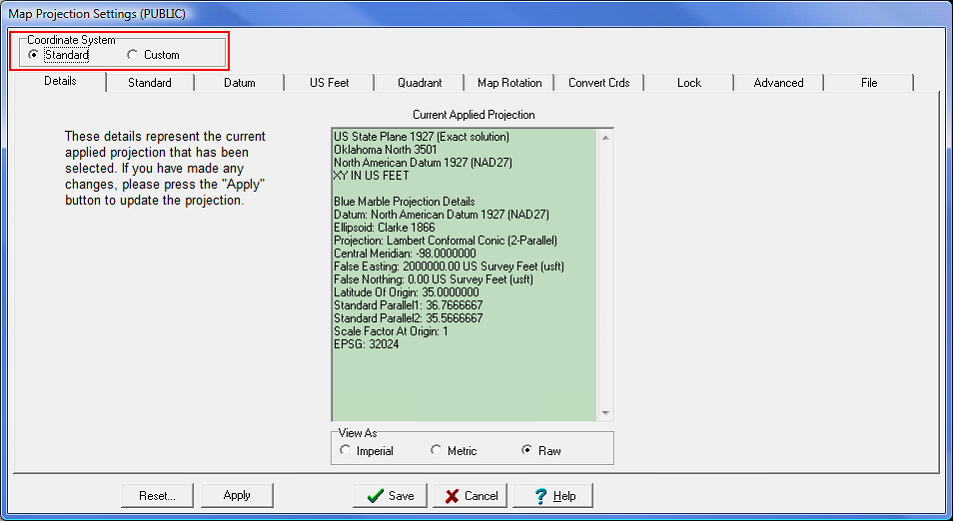
The Map Projection Settings has two different coordinate system settings: Standard and Custom. Both the Standard and Custom tab set a new project's coordinate system and also re-projects an entire project to use a different coordinate system (provided the reference datum stays the same). To switch between the two select the appropriate button at the top of the screen (highlighted in red on the example below).
Click to enlarge image.
Standard
The Standard coordinate system option contains a wide variety of coordinate systems for much of the world. These coordinate systems are pre-made and are a good option for most users. Selecting a standard coordinate system will change the second tab to the Standard tab.
Custom
The Custom coordinate system mostly provides backwards compatibility for Petra projects older than October 2008. Older projects with Custom coordinate systems can either be left alone, or easily converted into the analogous Standard coordinate system. Custom coordinate systems are also useful for handling obscure or custom coordinate systems not included in the Standard coordinate system list. These options are provided for backward compatibility with older Petra projects. Selecting a custom coordinate system will change the second tab to the Custom tab.
Related Topics
Modifying an Existing Coordinate System
Creating a Coordinate System Set by Data Limits
Creating a Coordinate System from Scratch
Map Projection How To Guides
|